


What is Paperless? Benefits of Paperless in Business
11-10-2025 158
Paperless is a modern working model in which the use of physical papers and documents is minimized. Instead, businesses turn to digital solutions and software to store, manage and process information.
1. What is Paperless?

Applications of Paperless
Paperless is widely applied in many fields and business activities:
- Exchange work via email: Replace paper documents with email to send and receive information quickly.
- Filling out online forms: Forms like Google Form are used to collect information and surveys instead of traditional paper.
- Surveying customers via digital platforms: Saving time, improving accuracy and efficiency in collecting information.
2. Benefits of Paperless in Business
2.1. Save Workspace
Storing paper documents takes up a lot of space, with cramped cabinets and shelves, easily causing a feeling of suffocation for employees. In particular, industries such as law or finance often have to process large volumes of documents, making arrangement complicated.
Applying digitalization with a cloud computing platform helps eliminate large amounts of paperwork, freeing up workspace, bringing a comfortable, professional and scientific environment.
2.2. Reduce operating costs
Paperless helps businesses save on printing costs, including paper, ink, and printers. The document processing process is done online, minimizing test printing/misprinting errors.
In addition, using digital signatures on electronic documents instead of physical prints helps simplify the approval process, reduce repetitive operations and optimize operating costs.
2.3. Enhanced data security
Storing data on a cloud computing platform helps minimize the risk of data loss or theft compared to traditional storage methods. Modern technologies such as artificial intelligence (AI) and Machine Learning enhance security with features such as:
- Access rights are strictly controlled.
- Back up data securely, minimizing the risk of damage.
- Easily organize and classify documents by category.

2.4. Easy collection and sharing of information
Digital data allows access anytime, anywhere, as long as there is an internet connection. Files such as .docx or .pdf help to quickly share information between employees and departments.
Software that supports notes and comments directly on documents helps the team process work more transparently and effectively. In addition, data is analyzed and stored automatically and accurately, helping to improve information quality.
2.5. Increased work efficiency
Paperless workflow helps optimize time, from searching for documents to sharing information. Individuals and departments can easily process work thanks to transparent and accurate data, while reducing manual steps.
2.6. Contribute to environmental protection
Traditional storage methods consume large amounts of paper, ink and natural resources. Paper production requires cutting down trees, causing ecological imbalance and reducing tree density - an important factor in reducing air pollution.
Paperless significantly reduces waste from paper and ink, while limiting the exploitation of natural resources, contributing to building a sustainable environment.
Switching to Paperless Office is not only a trend, but also a necessary solution to improve operational efficiency and protect the environment. Businesses applying this model will save costs, improve productivity and create a modern, friendly working environment. Start your digital journey today to take advantage of the benefits of a paperless office!
3. How to set up an effective Paperless Office
To build an effective paperless office, businesses need to focus on three important factors: changing operating processes, innovating working thinking, and digitizing data.
3.1. Changing the operating process
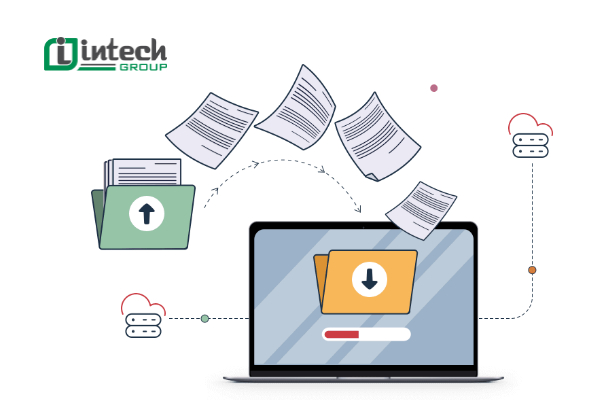
Setting up a Paperless Office requires businesses to change the way they operate, building a digital workflow with specific steps:
- Identify goals and needs: Clearly identify the reasons for the conversion, such as restructuring the business or improving management efficiency.
- Analyze the current process: Use the 5W-1H-5M method (What, Why, Where, When, Who - How, Man, Machine, Method, Material, Money) to analyze work steps based on the specific characteristics of the business.
- Understand the process content: Administrators need to master each step of the process to make accurate decisions and improvements.
- Check and optimize: Continuously check progress, evaluate efficiency and identify points that can be optimized with technology.
- Use support tools: Choose suitable software such as document management systems (DMS) or digital platforms to ensure fast and efficient operations.
3.2. Innovate thinking and working methods
The development of technology has opened up many new forms of work such as remote work, home work, or hybrid models. This not only improves performance but also facilitates the operation of paperless offices.
- Integrate technology: Big Data, AI, and IoT allow employees to work flexibly, without being limited by space and time.
- Train the team: Employees need to be equipped with skills to use software and support tools in a digital environment.
- Build a flexible working environment: Create an open workspace, increase interaction between individuals and departments to promote work efficiency.
Adobe's survey shows that 83% of workers believe that the hybrid working model is the optimal future, especially when combined with digital technology in the workflow.
3.3. Data digitization
Data digitization is an important step to reduce dependence on paperwork and increase information management efficiency.
- Reduce costs: According to Adobe's research, businesses can save more than 60% of annual form costs by converting from paper documents to digital format.
- Increase efficiency: Digitization helps save time searching for documents, optimize data processing and increase the ability to share information.
- High security: Data is stored on the cloud with security layers, minimizing the risk of information loss or damage.
Setting up a Paperless Office is not only a trend but also an essential solution to optimize work performance and reduce operating costs. Enterprises need to change processes, innovate thinking and digitize data comprehensively to build a modern, flexible and sustainable working environment.
4. Why should enterprises aim for Paperless?
Converting to a Paperless process is not only a technological step but also a strategic solution to help enterprises:
- Improve competitiveness: With modern processes, enterprises can respond to market needs more quickly.
- Create a green working environment: Limiting paperwork helps build a sustainable and environmentally friendly business image.
- Promote digital transformation: Paperless is an important stepping stone in the journey of comprehensive digital transformation, improving efficiency and labor productivity.
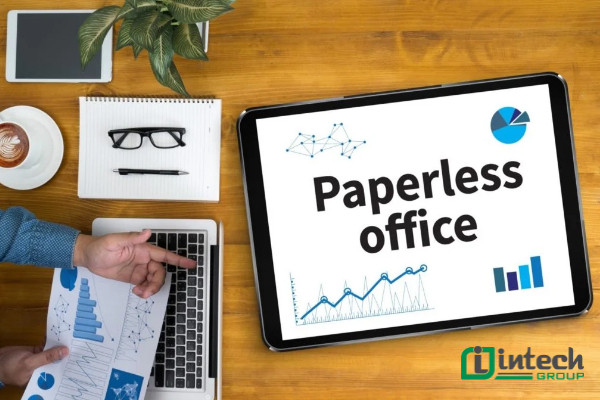
Switching to Paperless Office is not just a trend, but also a necessary solution to improve operational efficiency and protect the environment. Businesses applying this model will save costs, improve productivity and create a modern, friendly working environment. Start your digital journey today to take advantage of the benefits that a paperless office brings!
